
Step 1
Install Shadowrocket
Open the App Store and install Shadowrocket.
Choose your device, install an app, paste your subscription link, and connect.
Select your device and follow the visual steps.
Choose an app. Open its guide and follow each step.
Open the App Store and install Shadowrocket.
Copy it from the Telegram bot.
Do not share this link.Open Shadowrocket, tap +, then paste your subscription URL.
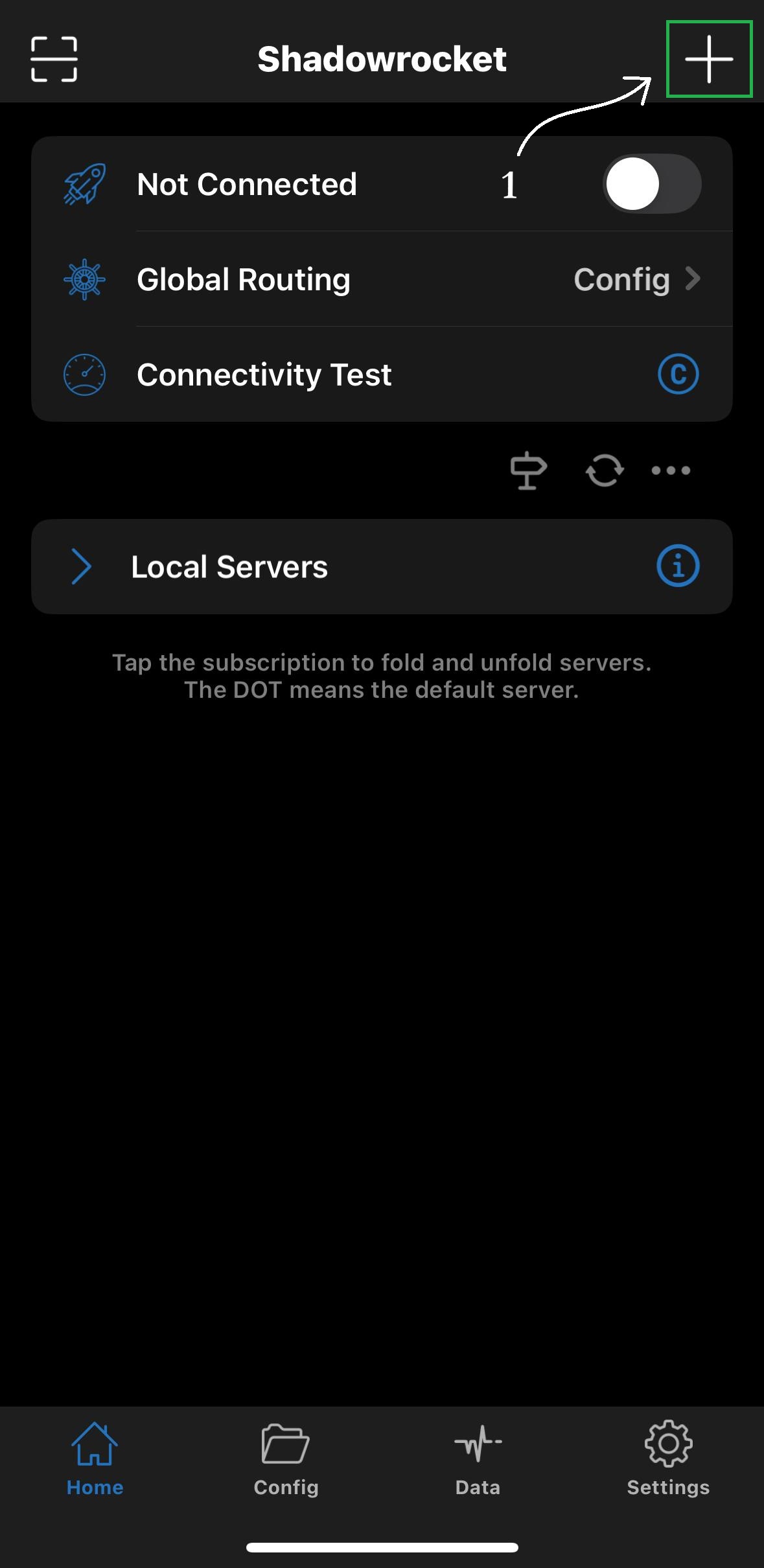
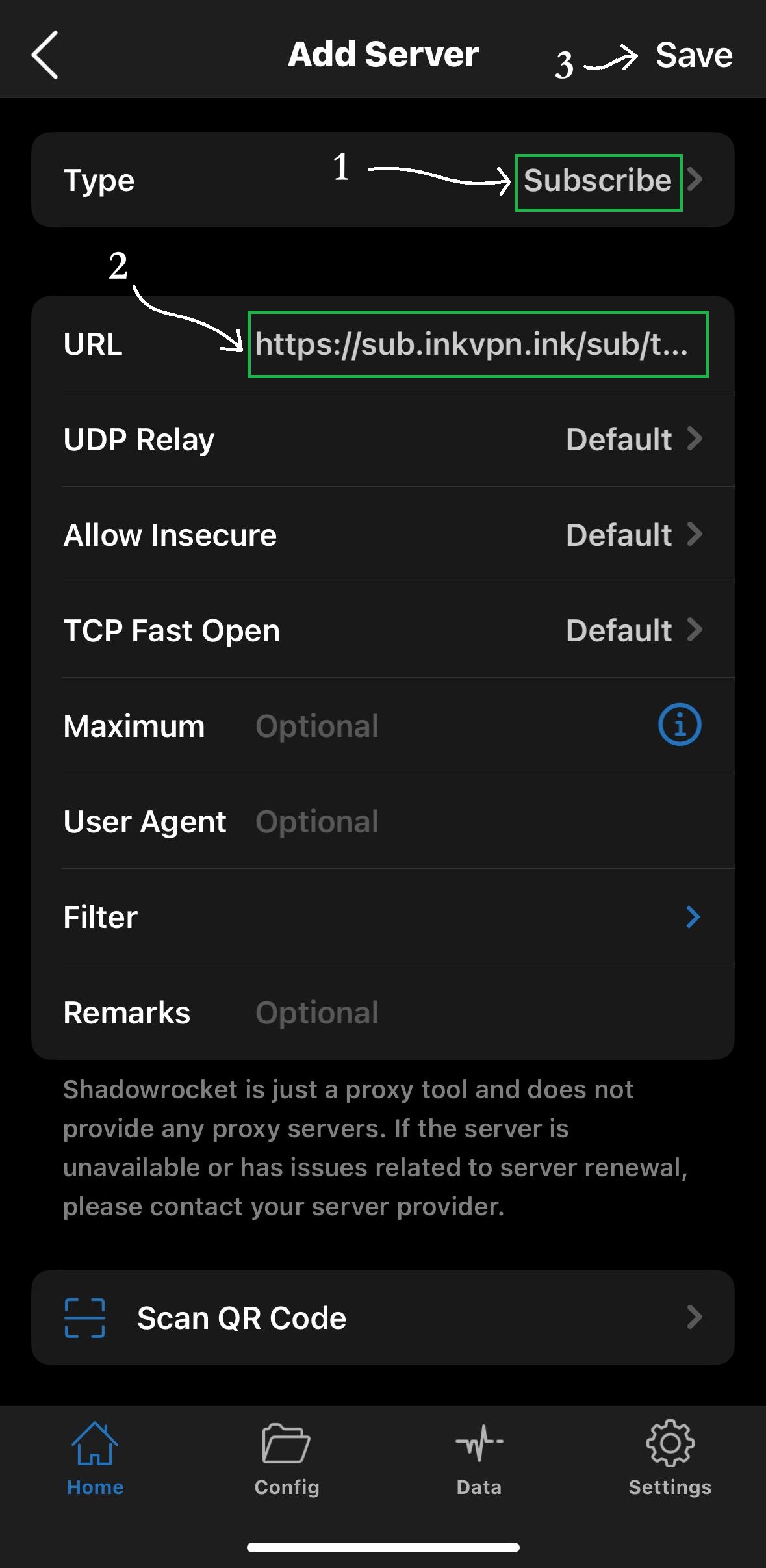
Save the profile, select InkVPN, and turn the switch on.
Open the App Store and install Happ.
Copy it from the Telegram bot.
Do not share this link.Open Happ, paste the subscription link, and save.
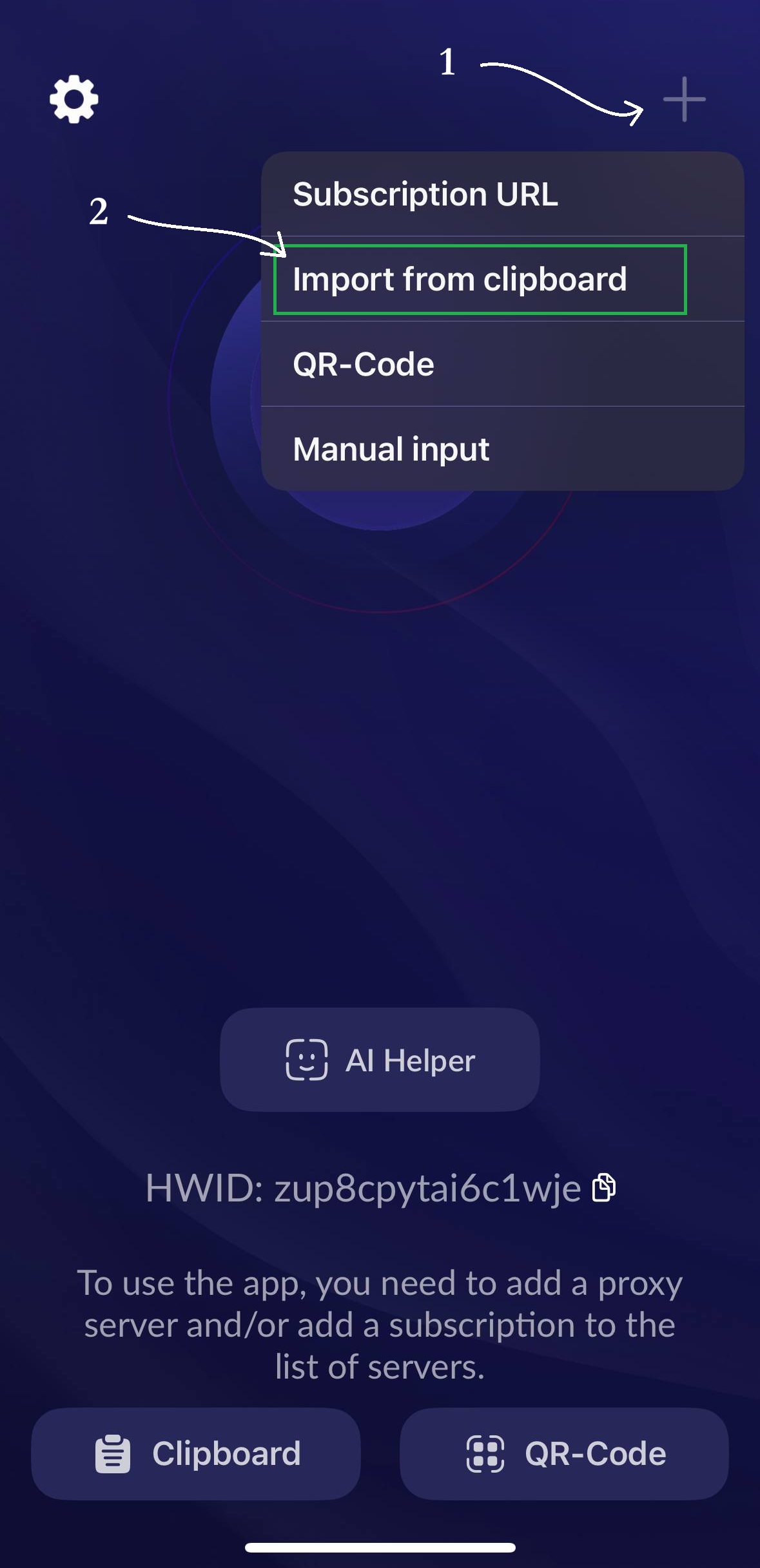
Refresh if the app asks, then turn VPN on.
Open the App Store and install v2rayTun.
Copy it from the Telegram bot.
Do not share this link.Tap add, paste the subscription link, and save.
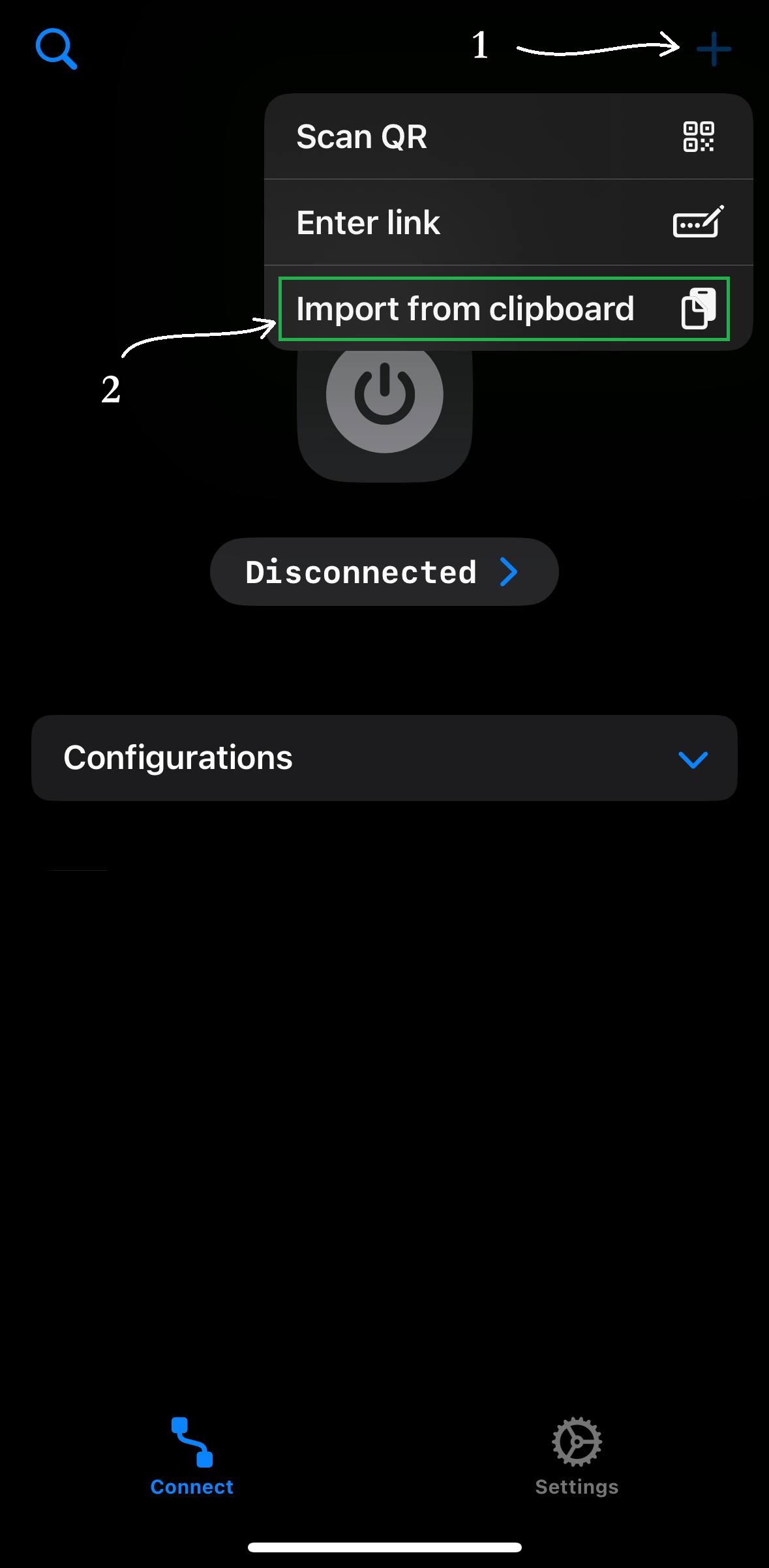
Refresh the profile if needed, then turn VPN on.
Open the App Store and install Hiddify.
Copy it from the Telegram bot.
Do not share this link.Paste your subscription link into Hiddify and save.
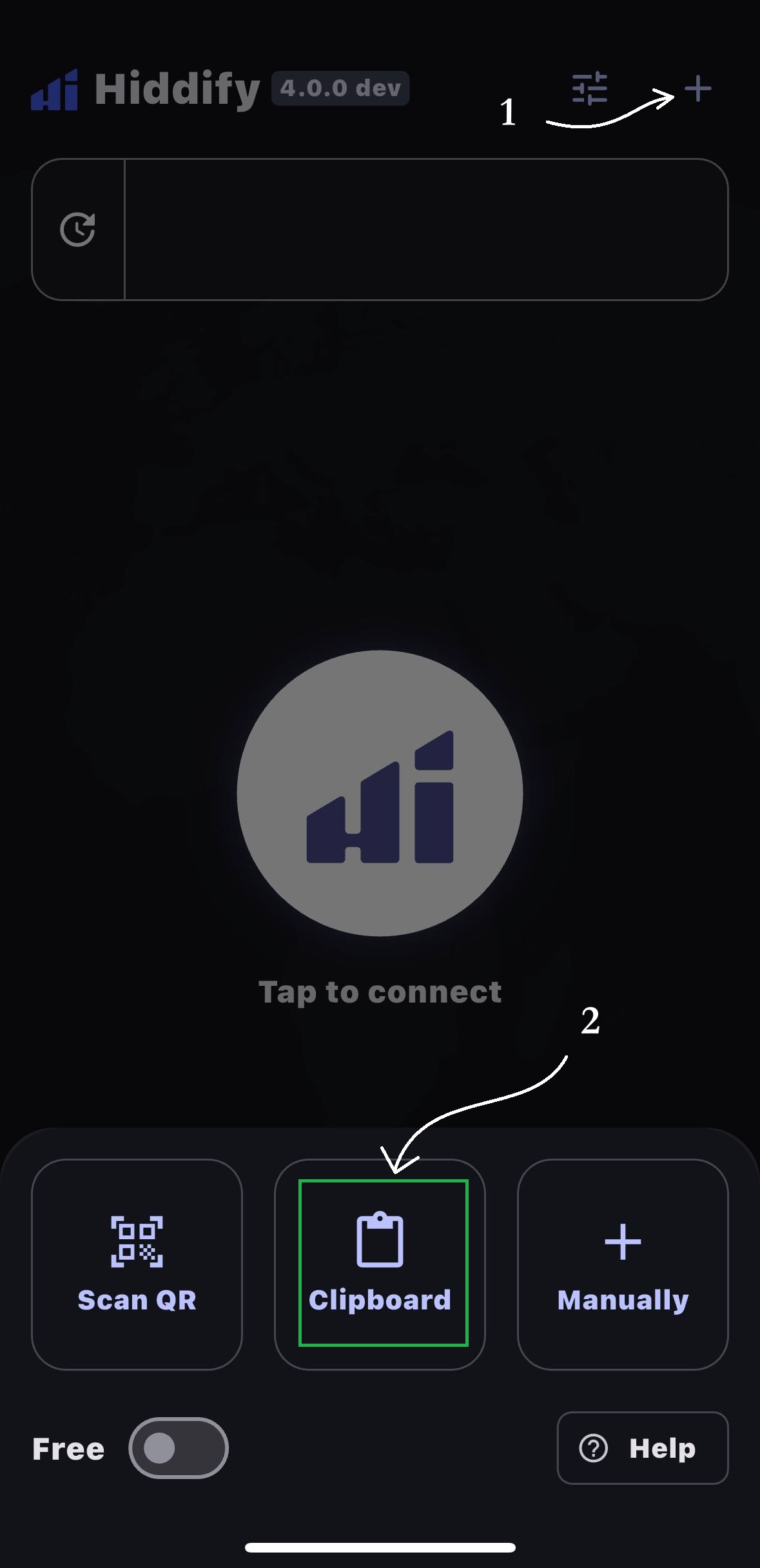
Select InkVPN and connect.
Install an app, copy your link, then import it.
Open Google Play and install v2rayTun.
Copy it from the Telegram bot.
Do not share this link.Paste the link into the subscription screen and save.
Refresh if needed, then turn VPN on.
Open the releases page and install the APK.
Copy it from the Telegram bot.
Do not share this link.Open NekoBox, add a subscription, paste the link, and save.
Refresh the subscription, select InkVPN, and connect.
Open Google Play and install Hiddify.
Copy it from the Telegram bot.
Do not share this link.Paste your subscription link into Hiddify and save.
Select InkVPN and connect.
Use Happ for a simple installer, or v2rayN for advanced Windows setup.
Download v2rayN from GitHub releases and open it.
Copy it from the Telegram bot.
Do not share this link.Import from clipboard, then update the subscription list.
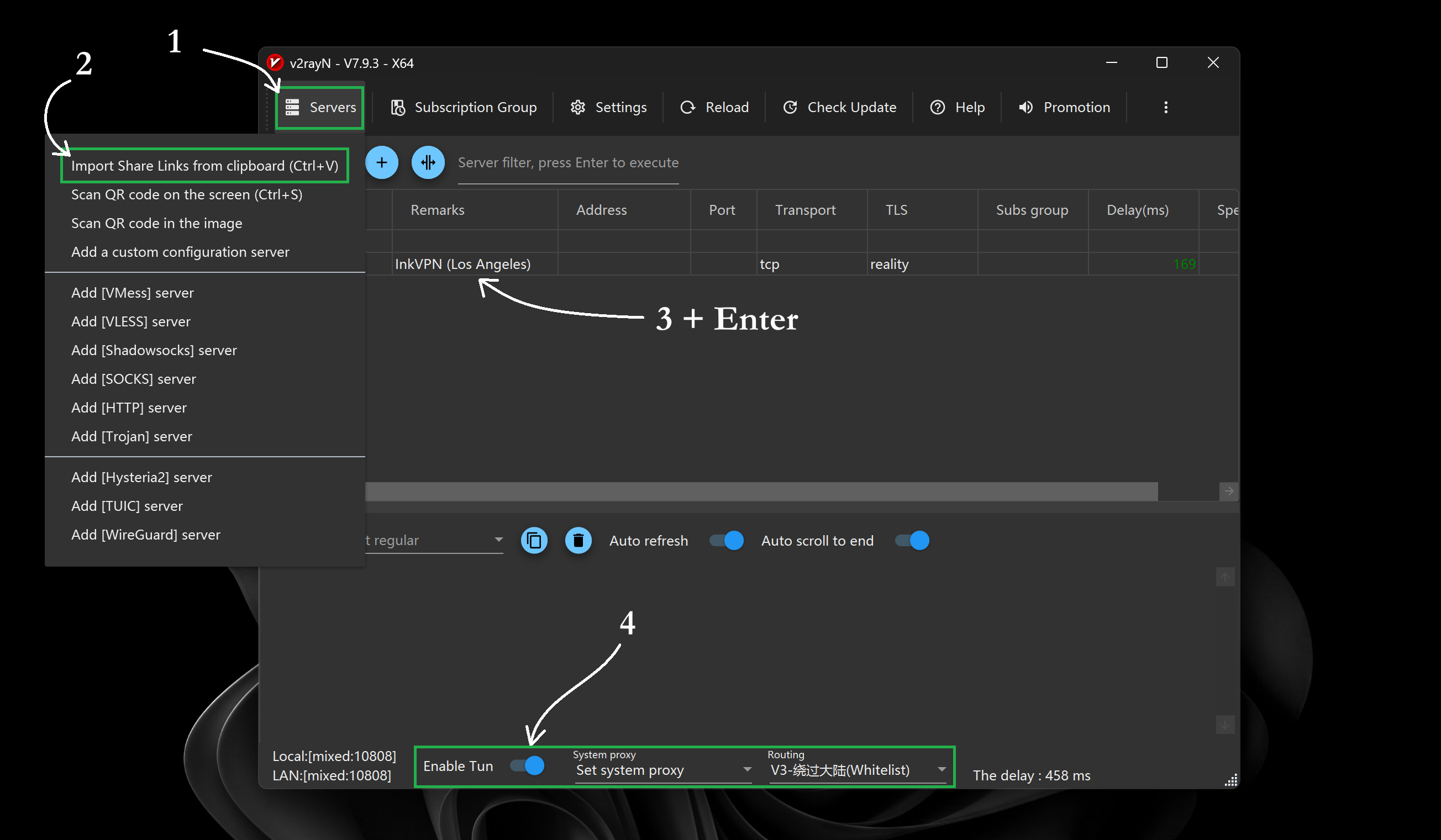
Enable System Proxy or TUN mode, then connect.
Download the Windows installer and open Happ.
Copy it from the Telegram bot.
Do not share this link.Paste the link into Happ and save.
Refresh if needed, then connect.
Let Chinese apps stay direct while blocked sites use VPN.
Local apps stay direct. Blocked sites use InkVPN.
These apps open normally without VPN.
International and blocked traffic still goes through InkVPN.
Turn it on after InkVPN connects normally.
Go to the Config tab and add the configuration URL.
https://raw.githubusercontent.com/mraxu/Shadowrocket_rules/main/Shadowrocket.conf
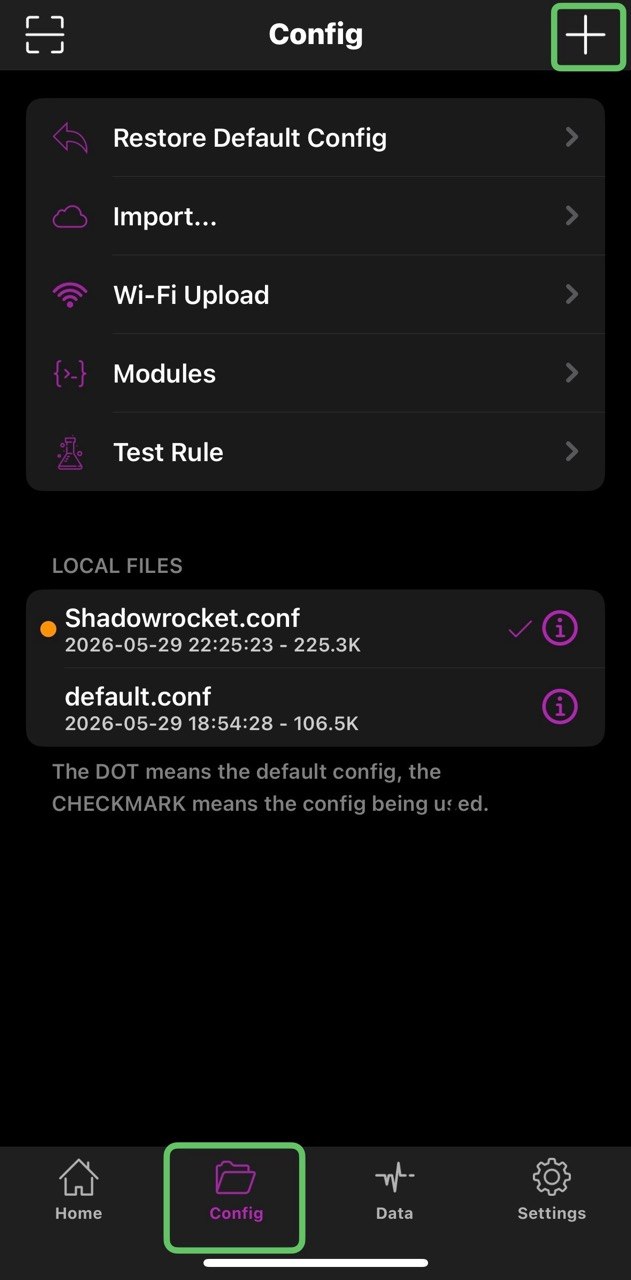
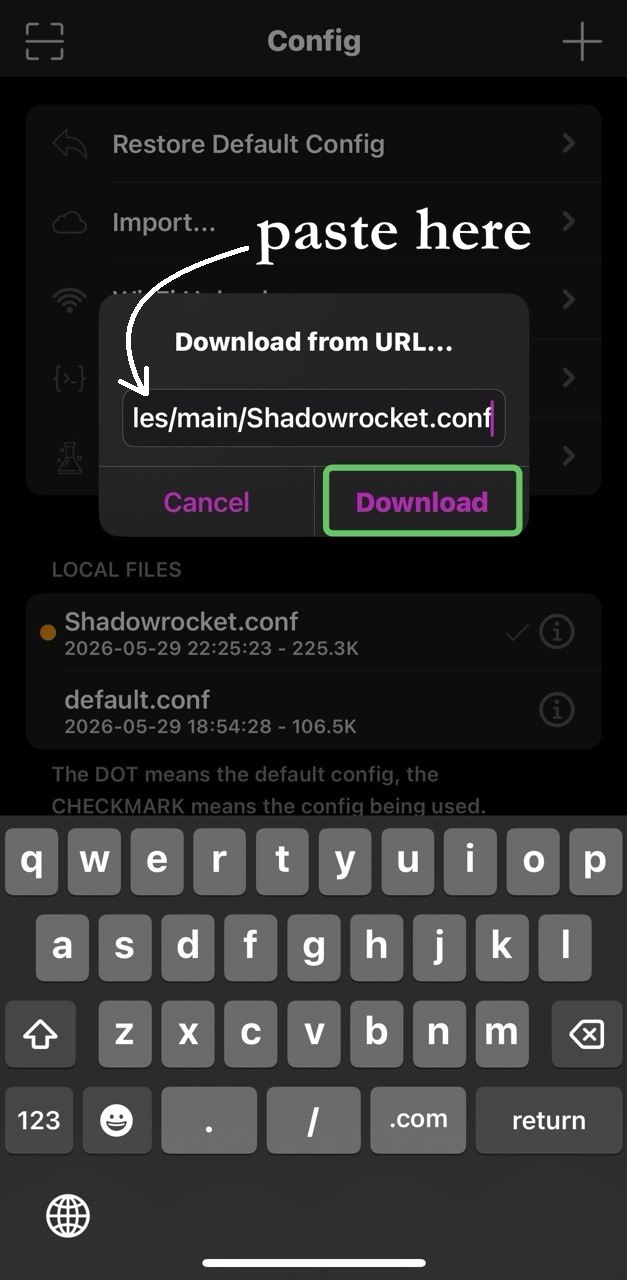
Change Global Routing to Config, then save.
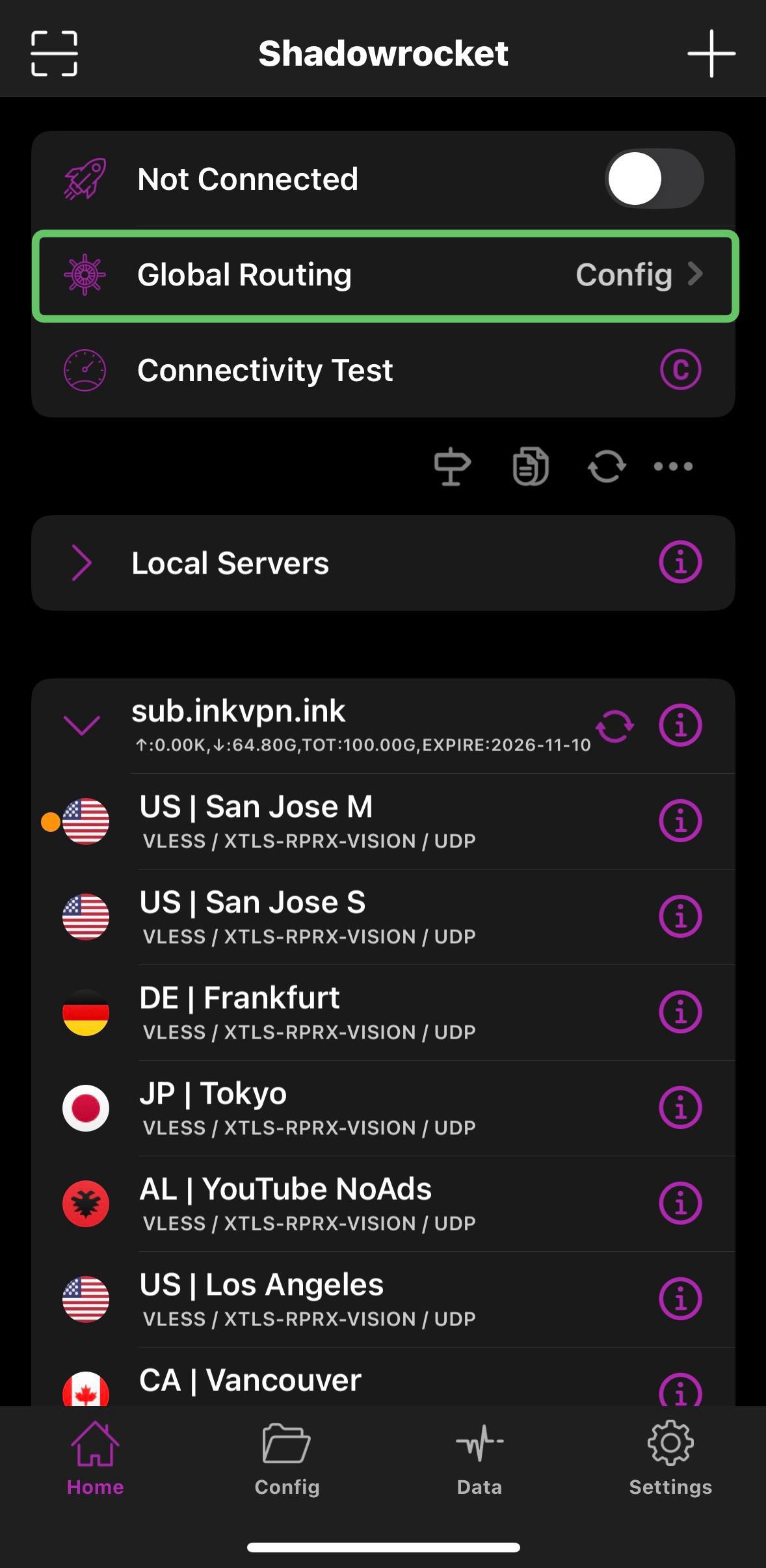
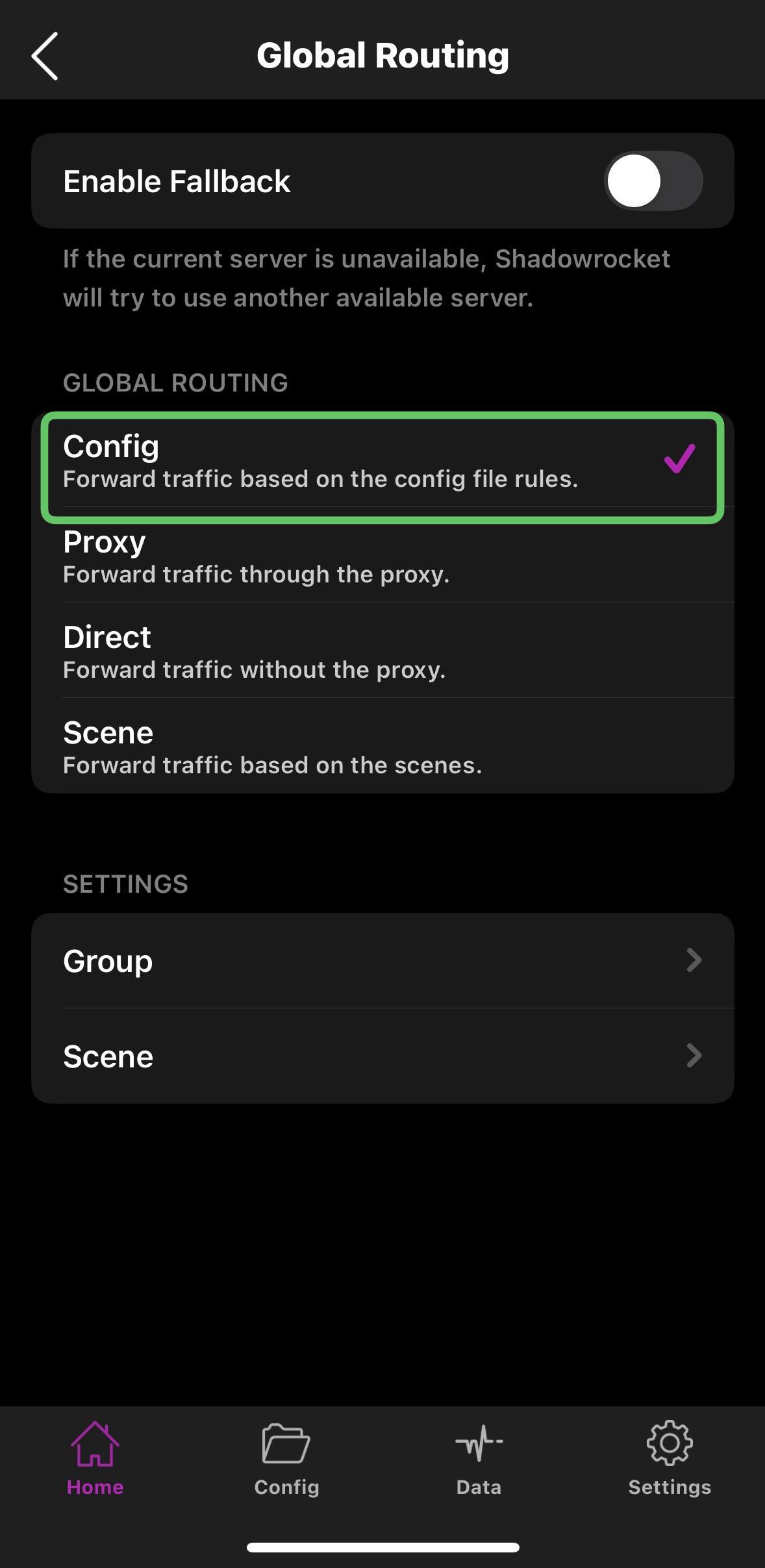
Open Settings, then Routing or Route Settings.
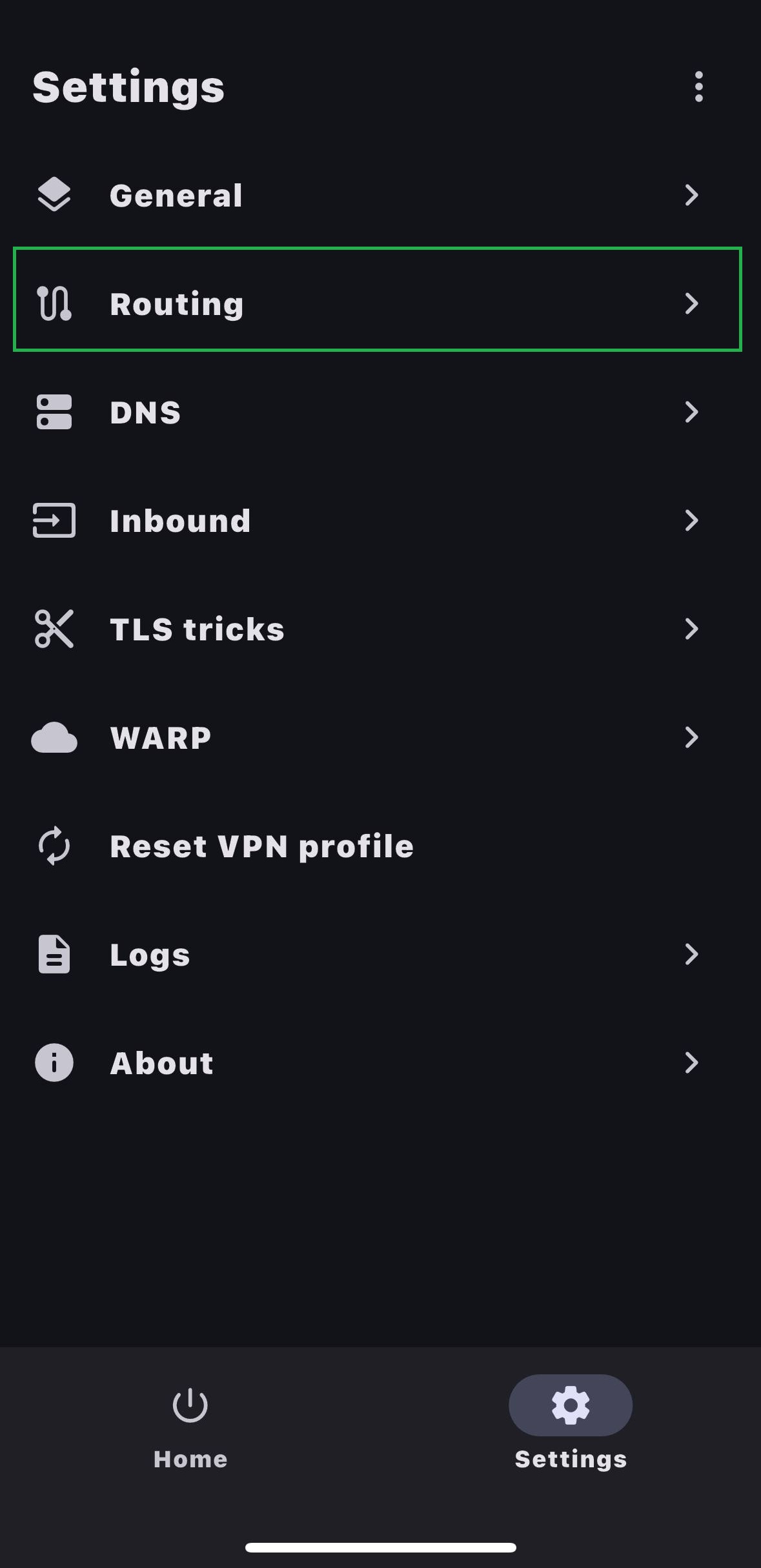
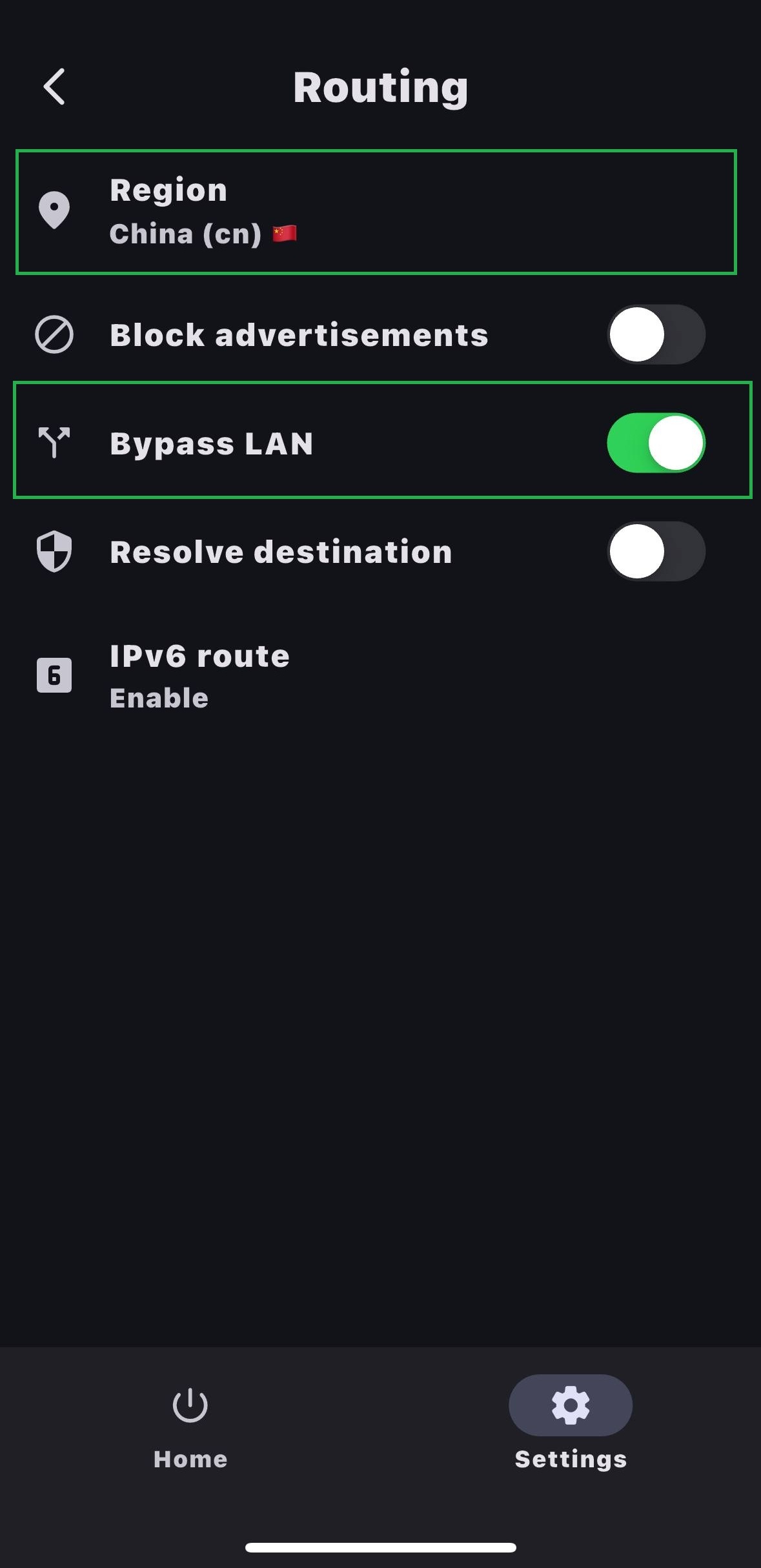
Save the setting, then reconnect InkVPN.
Copy the config, then open Settings and Routing.
v2rayTun://import_route/...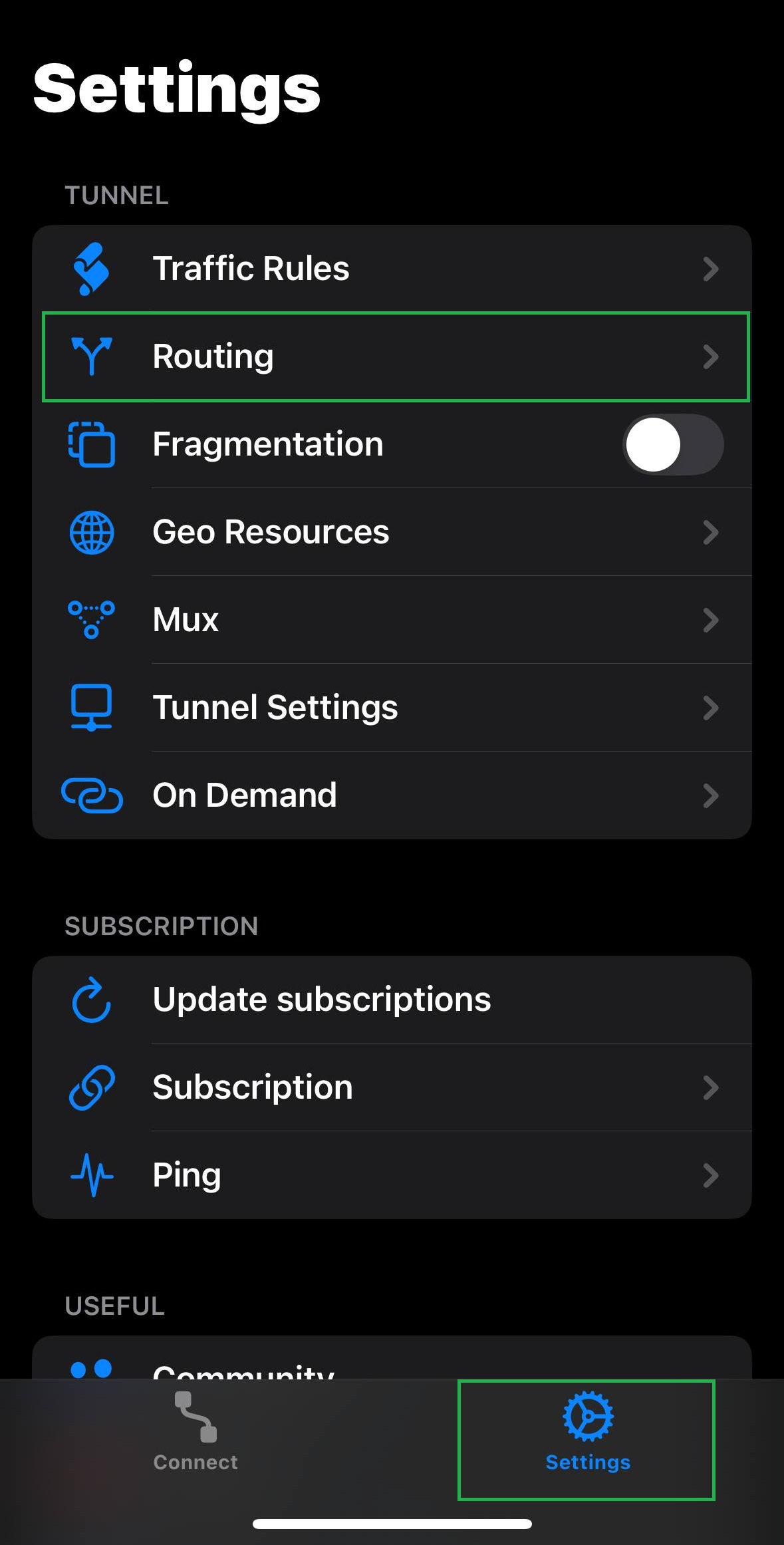
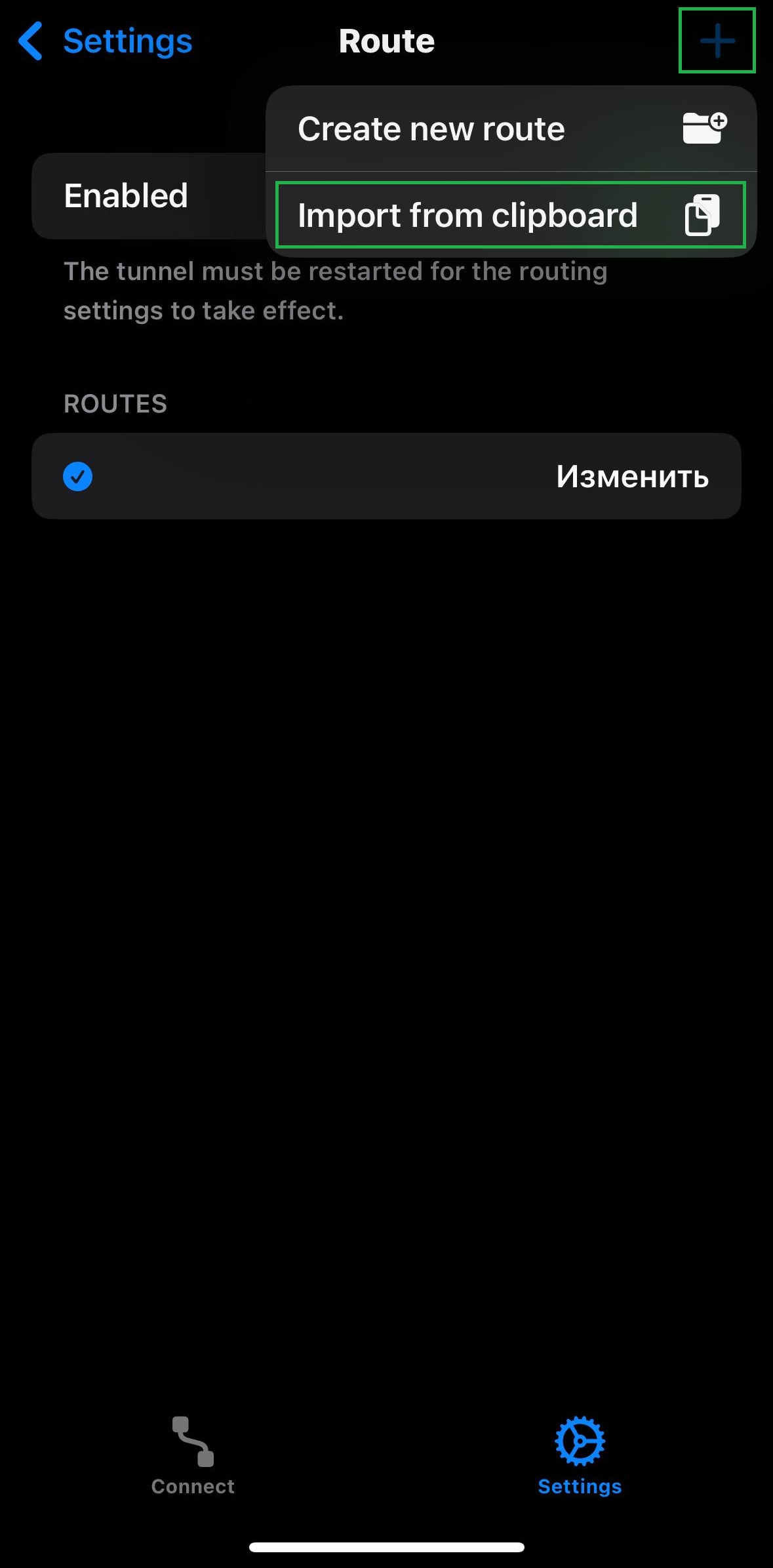
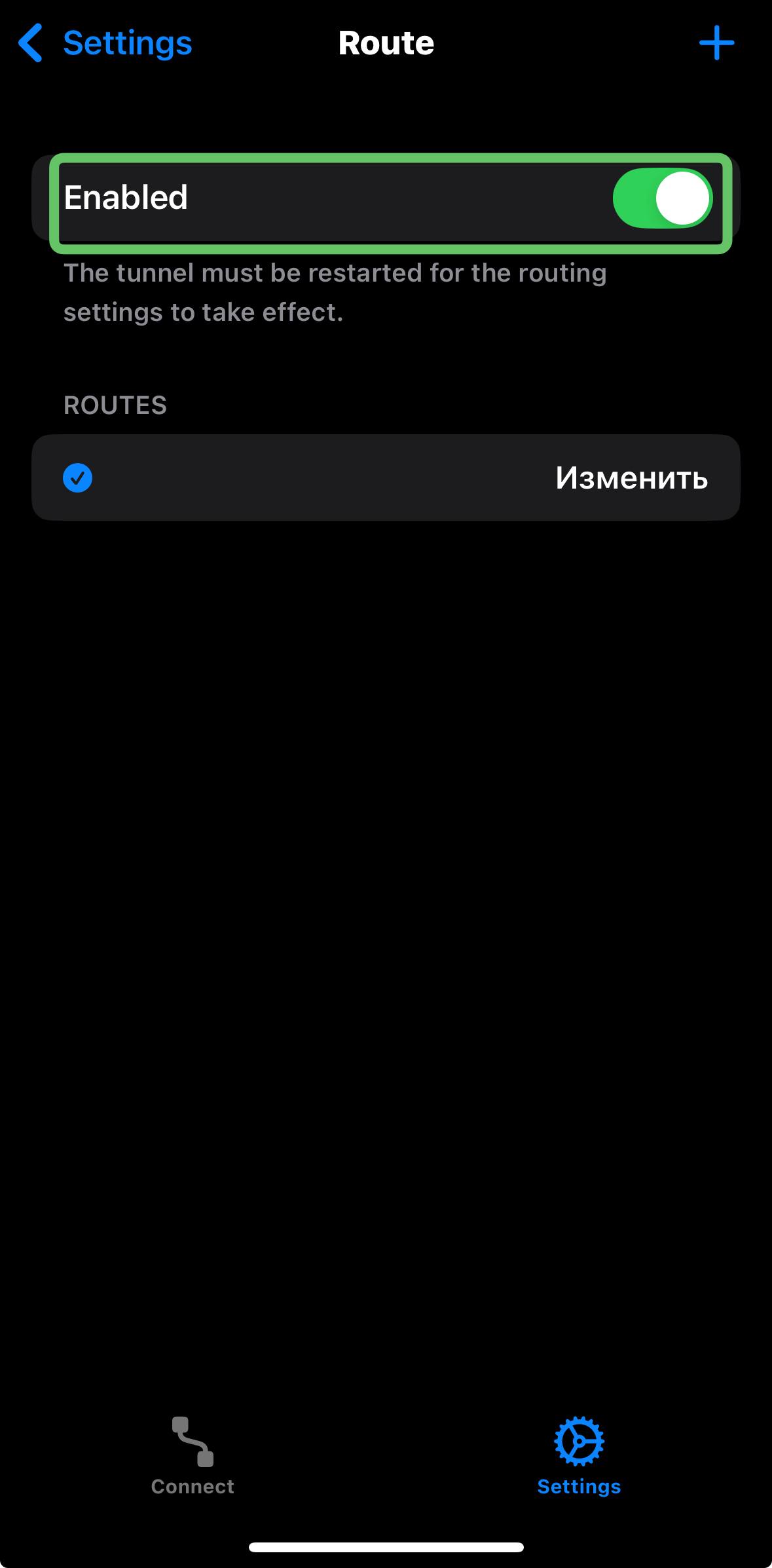
Tap +, import from clipboard, then reconnect.
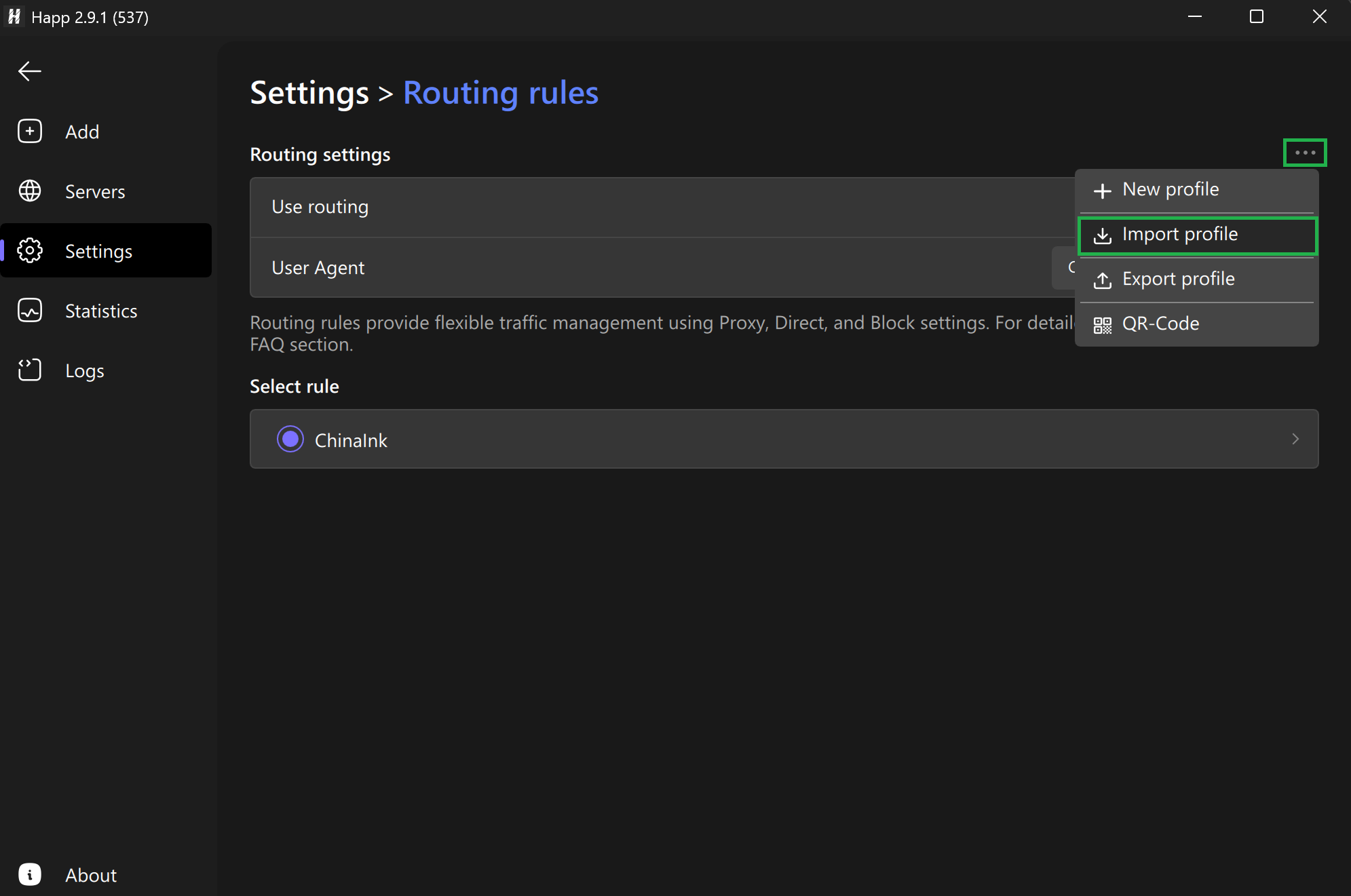
Open Routing rules, then import this config.
happ://routing/add/...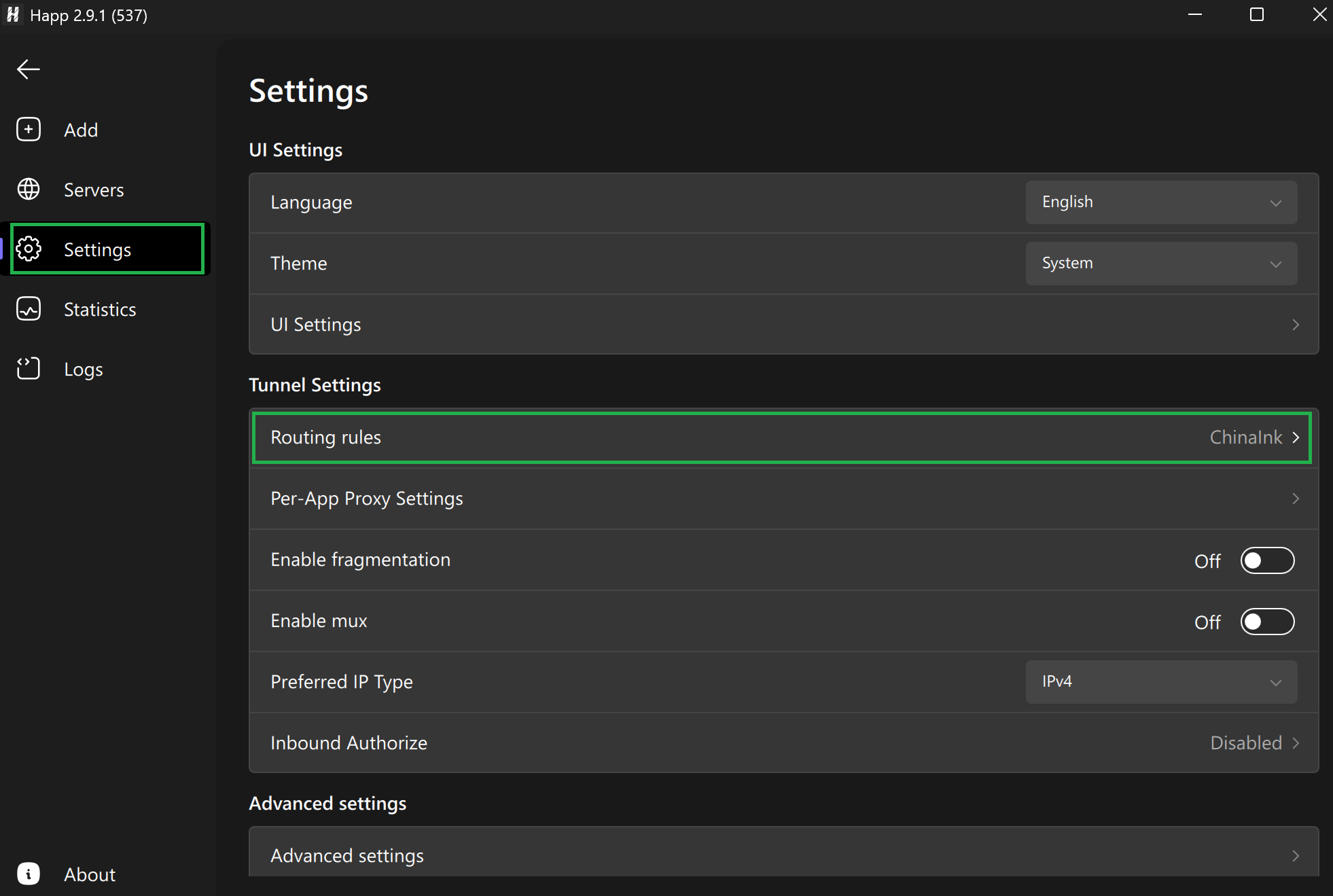
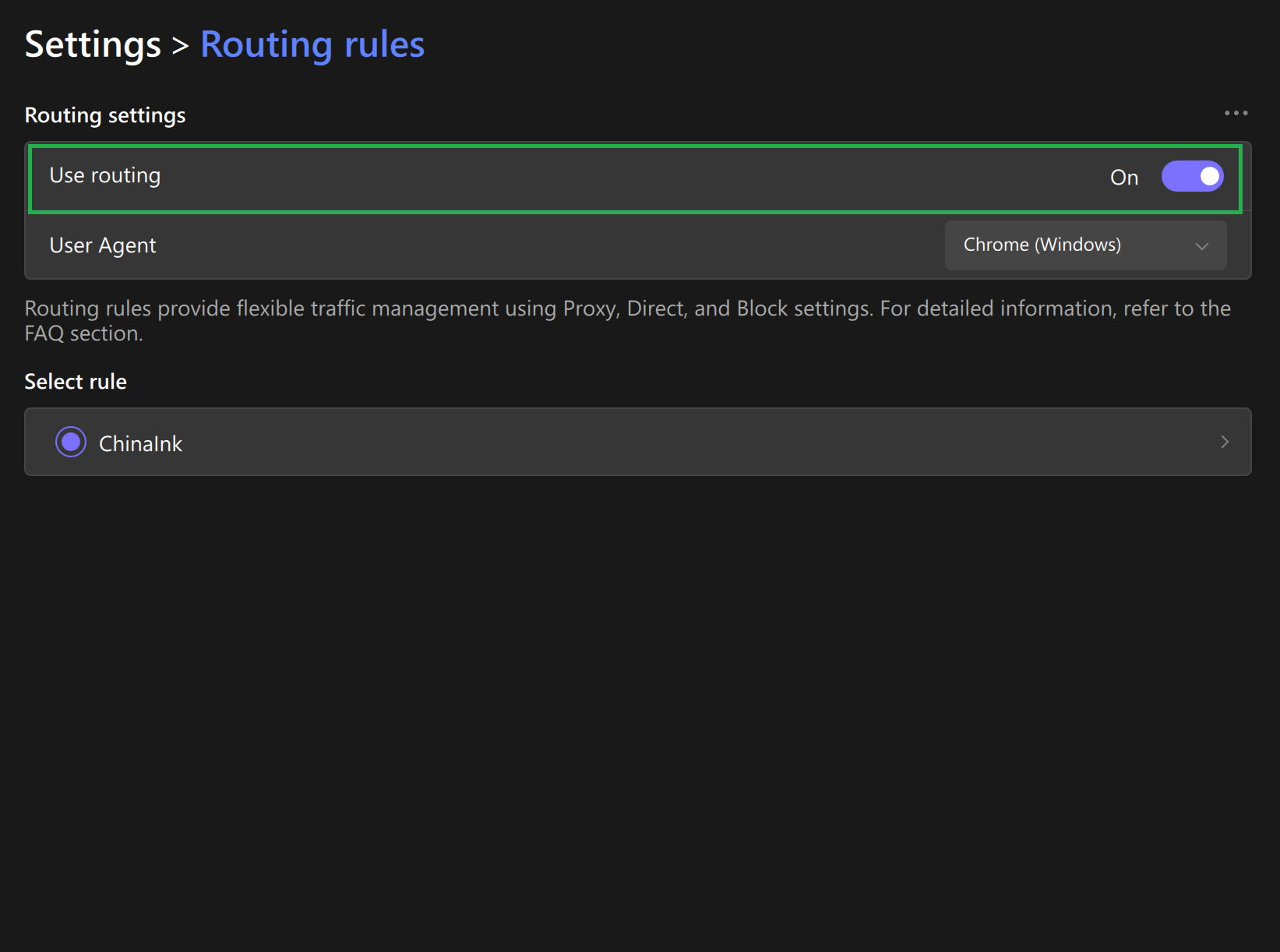
Enable Routing, save, and reconnect InkVPN.
Select the China bypass routing rule, then save.
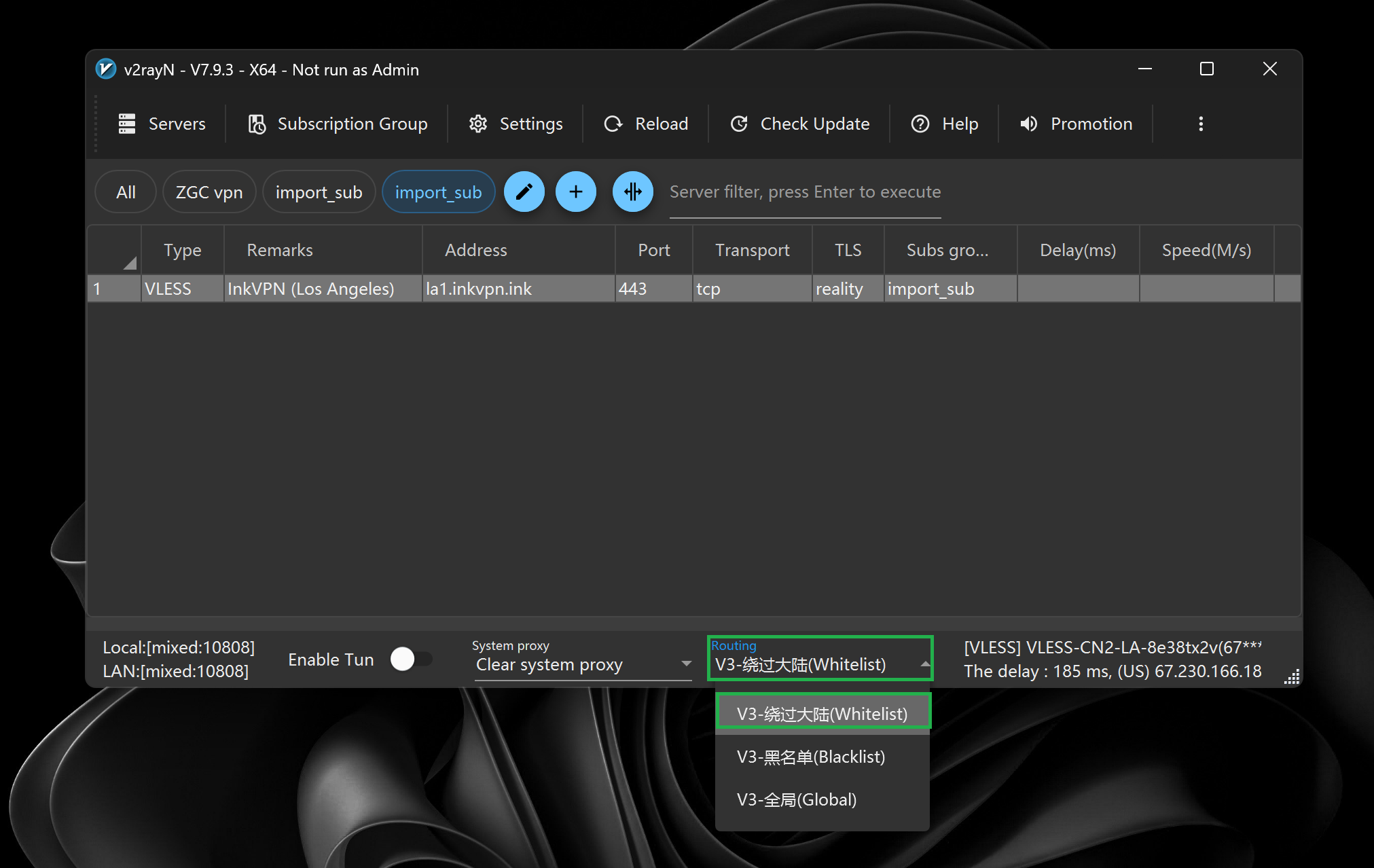
Save the routing rule and reconnect InkVPN.
Open the issue and follow one short fix.
Copy the full link again from the bot. Make sure there are no spaces before or after it.
Refresh the subscription in the app, then reconnect. Look for Update, Refresh, or the circular arrow icon.
Disconnect, refresh/update the subscription, then connect again. On Windows, also check System Proxy or TUN mode.
Enable Smart Mode. Apps like Alipay, WeChat and Taobao will stay direct instead of going through VPN.
Enable Smart Mode. Local Chinese app traffic should not go through VPN.
Install the app again and import the same personal subscription link.
Use the same InkVPN support channel where you bought or received your subscription.